
No products in the cart.
Introduction
For many businesses, copier paper is one of the most frequently purchased office supplies. Yet, it’s often treated as a commodity, with buying decisions based solely on price.
However, choosing the wrong copier paper can lead to frequent paper jams, poor print quality, higher printer maintenance costs, wasted ink or toner, and reduced employee productivity.
Whether you’re purchasing paper for a small office or managing procurement for multiple locations, understanding what to look for can help you save money and improve printing efficiency.
In this guide, we’ll discuss the 10 most common mistakes businesses make when buying copier paper—and how to avoid them.
Table of Contents
1. Buying Paper Based Only on Price
The cheapest paper isn’t always the most economical.
Low-quality paper may result in:
- Frequent paper jams
- Dust generation
- Higher printer wear
- Poor print quality
- Increased paper wastage
Tip: Consider the total cost of ownership, not just the price per ream.
2. Ignoring Paper GSM
One of the biggest misconceptions is that all A4 paper is the same.
Different GSM values serve different purposes.
| GSM | Best For |
|---|---|
| 70 GSM | High-volume internal printing |
| 75 GSM | Everyday office printing |
| 80 GSM | Reports, presentations & premium documents |
Tip: Choose the GSM based on your printing requirements rather than assuming thicker is always better.
3. Overlooking Brightness and Whiteness
Many buyers focus only on GSM while ignoring paper appearance.
Higher brightness improves:
- Text sharpness
- Print contrast
- Readability
Higher whiteness enhances:
- Colour reproduction
- Professional appearance
- Premium presentation
Tip: For client-facing documents, brightness and whiteness matter just as much as GSM.
4. Forgetting About Opacity
Opacity determines how much printing is visible from the opposite side of the sheet.
Low-opacity paper may cause:
- Show-through
- Reduced readability
- Unprofessional-looking documents
This becomes especially important for duplex printing.
Tip: If your office prints on both sides of the paper, choose paper with good opacity.
5. Choosing the Wrong Paper for Your Printer
Not every paper performs equally well across different printers.
Before purchasing, ensure the paper is compatible with:
- Laser printers
- Inkjet printers
- Photocopiers
- Multifunction devices
Tip: Most quality copier papers are designed for universal compatibility, but always check the manufacturer’s specifications.
6. Ignoring Printer Jam Performance
Paper jams are one of the biggest productivity killers in offices.
Poor-quality paper often suffers from:
- Rough edges
- Excessive paper dust
- Inconsistent sheet dimensions
- Curling due to moisture
These issues increase downtime and maintenance.
Tip: Choose copier paper known for smooth feeding and jam-free performance.
7. Not Considering Environmental Certifications
Businesses today are increasingly focused on sustainability.
Look for papers with recognised certifications such as:
- FSC® (Forest Stewardship Council)
- PEFC (Programme for the Endorsement of Forest Certification)
- ECF (Elemental Chlorine Free)
These certifications indicate responsible sourcing and environmentally conscious manufacturing practices.
Tip: Certified paper supports corporate sustainability goals without compromising print quality.
8. Buying the Wrong Quantity
Purchasing too little paper often leads to:
- Frequent reordering
- Higher logistics costs
- Procurement delays
Buying excessive quantities without proper storage may expose paper to humidity and dust.
Tip: Estimate monthly consumption and maintain an appropriate safety stock.
9. Storing Paper Incorrectly
Even premium paper can perform poorly if stored improperly.
Common storage mistakes include:
- Keeping paper near windows
- Exposure to humidity
- Storing directly on the floor
- Removing paper from its wrapper too early
Improper storage may cause paper curling, moisture absorption, and feeding issues.
Tip: Store paper in its original packaging in a cool, dry environment until use.
10. Buying Without Understanding Your Office’s Needs
Different departments often have different printing requirements.
For example:
Accounts
- High-volume internal printing
HR
- Offer letters
- Employee documents
Sales
- Client proposals
- Presentations
Marketing
- Colour brochures
- Promotional materials
Using one type of paper for every application may not be the most efficient approach.
Tip: Match paper specifications to the purpose instead of using a one-size-fits-all solution.
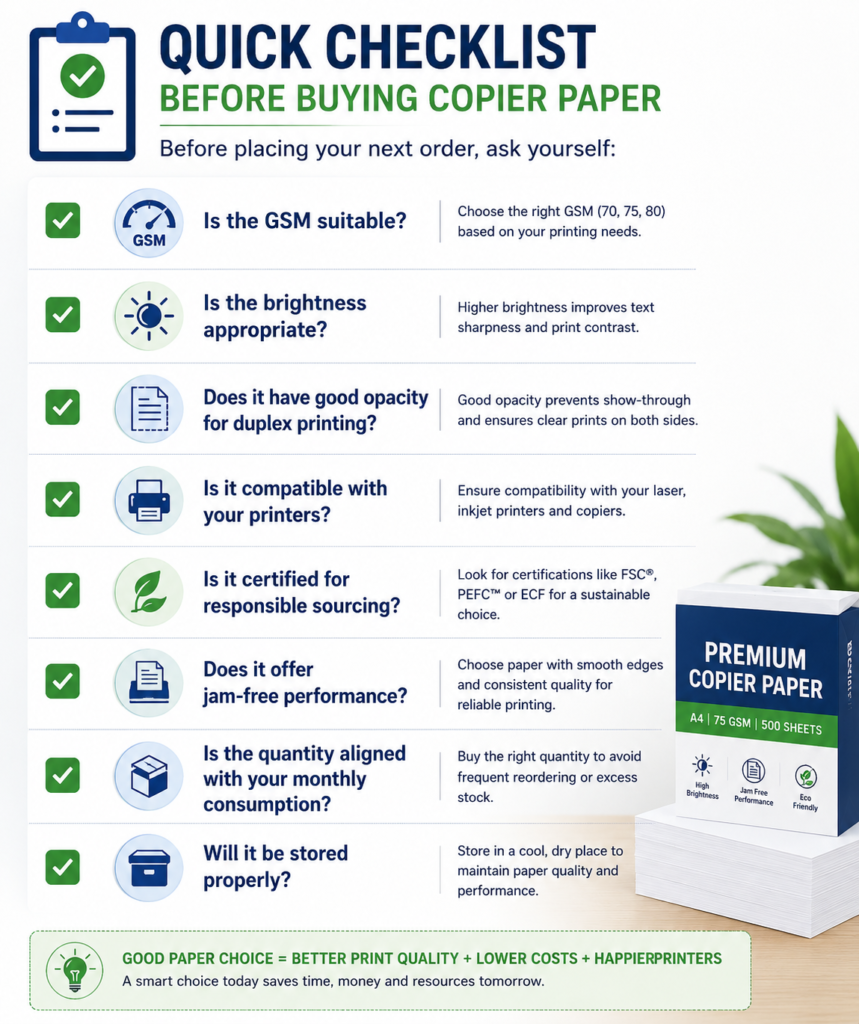
Quick Checklist Before Buying Copier Paper
Frequently Asked Questions
Is 75 GSM good for everyday office printing?
Yes. For many offices, 75 GSM offers a practical balance between performance, print quality, and cost for routine printing.
Is 80 GSM better than 75 GSM?
Not necessarily. While 80 GSM is often preferred for presentations and premium documents, 75 GSM is sufficient for most day-to-day office printing needs.
Does higher GSM prevent paper jams?
No. Paper jams are influenced by several factors, including paper quality, moisture content, edge finish, storage conditions, and printer maintenance—not GSM alone.
Why does paper curl after printing?
Paper curling can result from humidity, improper storage, or the heat generated during the printing process.S
Should businesses always buy premium copier paper?
Not always. The right choice depends on the intended use. Routine internal documents may not require premium paper, while reports, proposals, and customer-facing materials often benefit from higher-quality paper.
Conclusion
Buying copier paper may seem like a routine procurement task, but the right choice can improve print quality, reduce printer downtime, extend equipment life, and lower overall operating costs.
Instead of focusing only on price, evaluate paper based on GSM, brightness, whiteness, opacity, printer compatibility, storage conditions, and sustainability certifications.
A thoughtful paper-buying strategy ensures smoother office operations, better-looking documents, and long-term value for your business.

Recent Comments